Click map
Every click on the page as a glowing spot, so you see what gets attention and what gets ignored.
The same script that shows your chat button also maps how people use each page: what they click, where they stop to read, and how far down they get. No second tool, no extra code.
No second tool. No extra code. Free package forever.
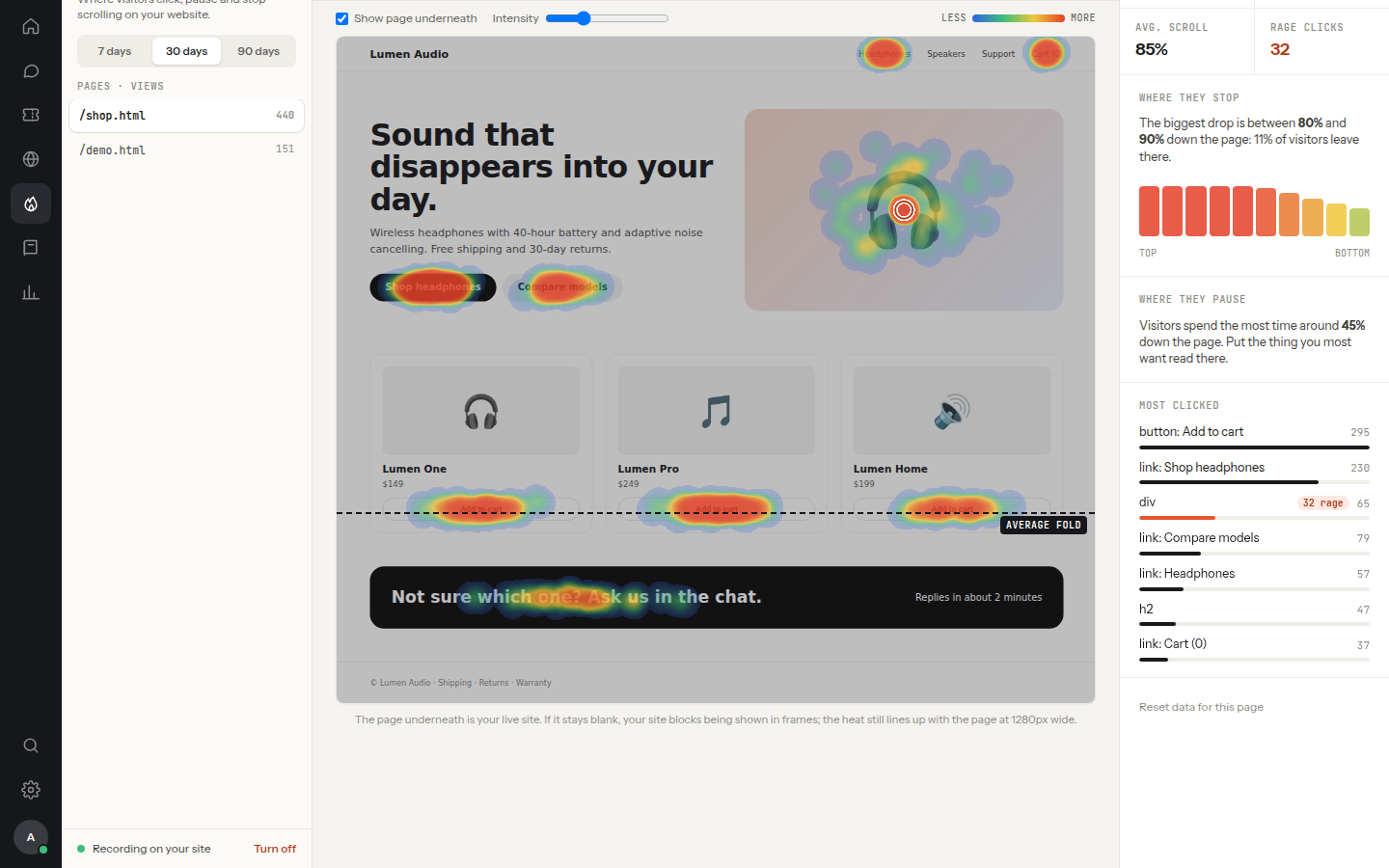
Every click on the page as a glowing spot, so you see what gets attention and what gets ignored.
Bursts of three or more quick clicks on one spot: the clearest sign that something looks clickable but doesn't work.
Where people stop scrolling to read. The warm bands show the parts of the page that hold their eyes.
How far down people get, and the exact point where most of them give up and leave.
Every map works separately for desktop, tablet and mobile, because a page that works with a mouse can fail under a thumb.
Heatmaps tell you what to fix later. The rage-click trigger helps the visitor who is frustrated right now: when someone clicks the same spot again and again, the chat opens and offers help, and your agent sees exactly what wasn’t working.
The one line of code you paste for the chat widget also records heatmaps. Nothing else to install.
Clicks, pauses and scroll depth build up page by page, for desktop, tablet and mobile.
Open the most rage-clicked element, fix it, and watch the frustration disappear from the map.
Nothing anyone types is recorded, ever.
Fields are named by type only, like “field: email”.
Visitors are known by a hashed id, never their chat login.
Browsers that ask not to be tracked aren't.
Old data is removed automatically.
An admin can stop recording at any time.
No. Heatmaps come with the chat script and are included in every package.
Three or more quick clicks on the same spot. It usually means something looks like a button but doesn't work.
Yes, an admin can switch recording off at any time.
Yes: our guide explains what causes them, how to find them and how to fix them. Read: What are rage clicks? →
Including the free one. Packages differ only by team size.
🎉 Launch offer: the first 10 companies get Premium free for 6 months8 spots left →For one person answering their own customers.
For a small team sharing the inbox.
For a support team working across shifts.
For larger teams with departments, rules and many agents.